Amounta app icon

A closer look

Amounta : Expense Tracker

A privacy-first, offline-first personal finance app for iPhone, iPad, Apple Watch, Mac and the Home Screen. Here's a screen-by-screen tour of how Amounta turns everyday spending into clarity.

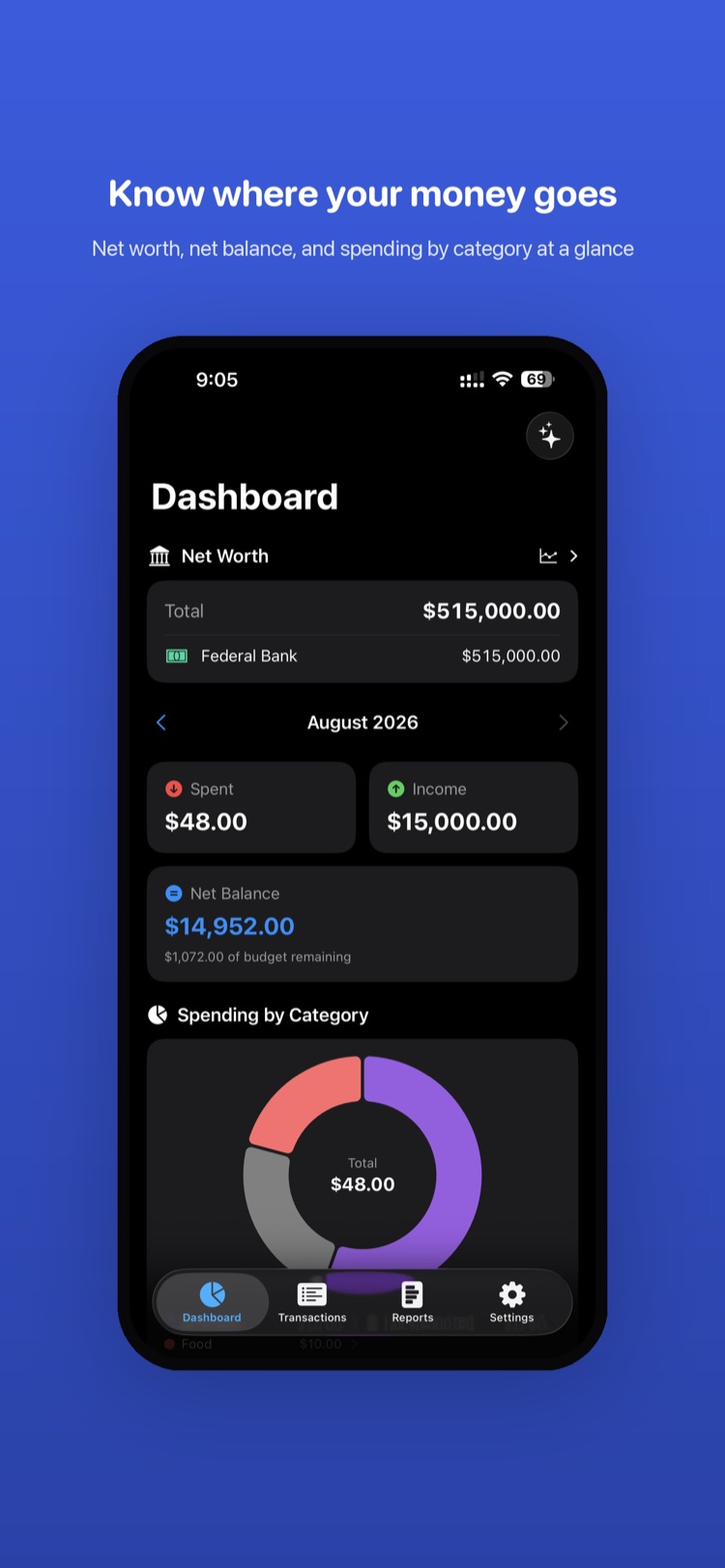
Amounta Dashboard showing net worth, spent and income tiles, net balance and a spending-by-category donut chart

Dashboard

Know where your money goes

The home screen puts your whole financial picture in one scroll. A Net Worth card totals every account, while a month switcher lets you step through time. Spent and Income tiles sit side by side, and a Net Balance card shows what's left along with how much of your budget remains. Below, an interactive donut chart breaks spending down by category with the month's total in the center, and the sparkle button opens AI-powered insights.
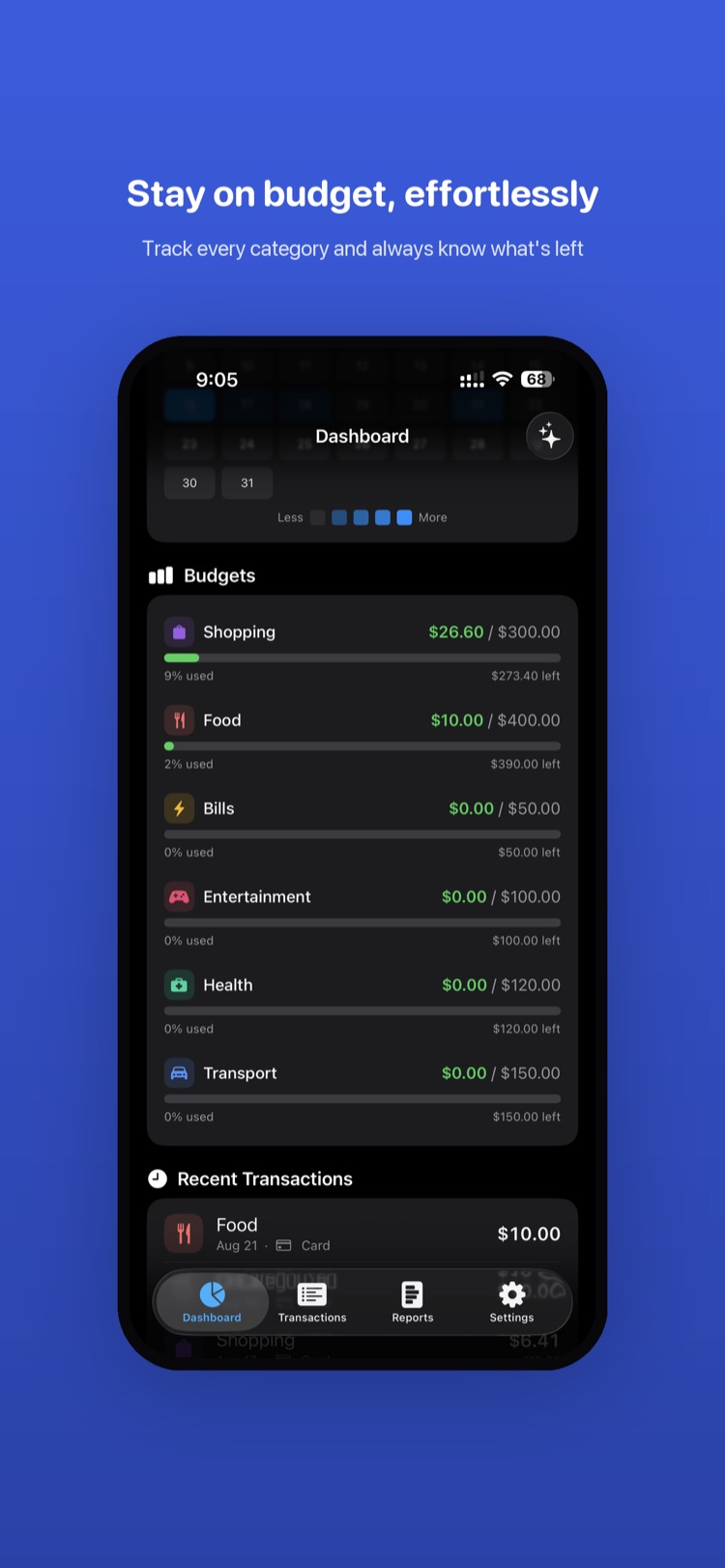
Amounta Budgets view with a daily spending heat map and per-category progress bars for Shopping, Food, Bills and more

Budgets

Stay on budget, effortlessly

A contribution-style activity heat map shows your spending intensity day by day. Under it, every budget category — Shopping, Food, Bills, Entertainment, Health, Transport — gets its own progress bar showing amount spent against its limit, the percent used, and exactly how much is left. Recent transactions round out the view so you can act the moment a category runs hot.

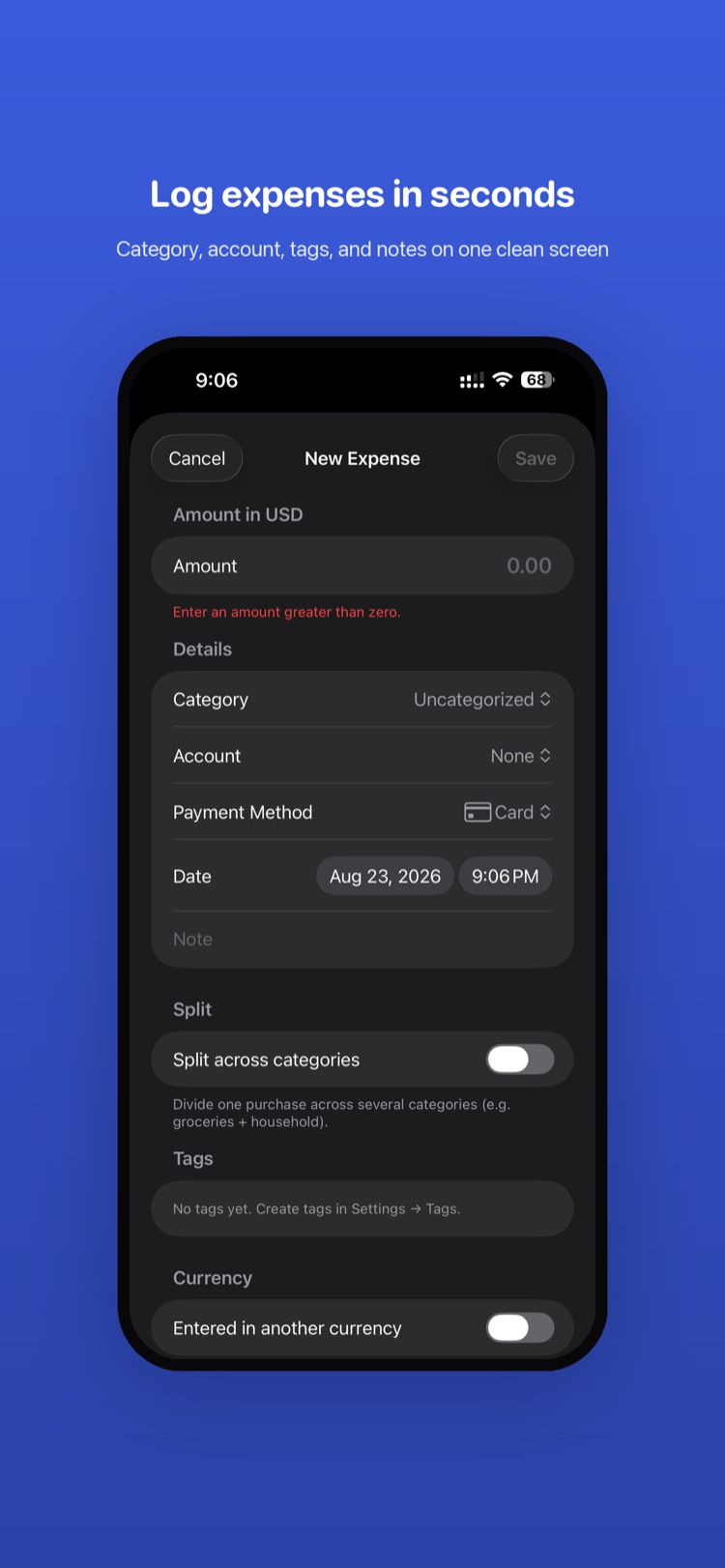
Amounta New Expense form with amount, category, account, payment method, date, split toggle, tags and currency options

Add Expense

Log expenses in seconds

Adding an expense never leaves a single screen. Type the amount with live validation, then set category, account, and payment method from quick pickers, adjust the date and time, and jot a note. Need more? Toggle Split across categories to divide one purchase across several, attach tags, or record the expense in another currency — all inline, no extra taps.

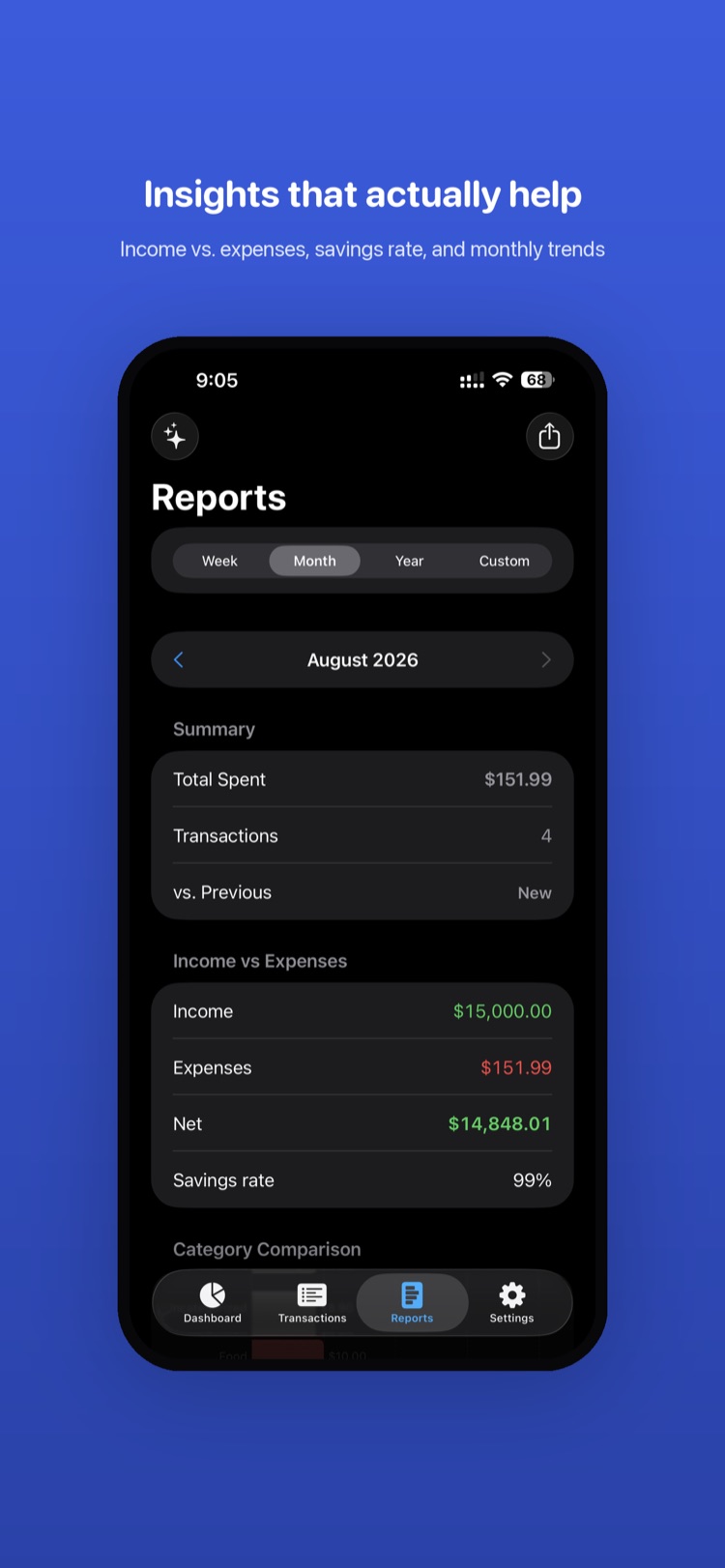
Amounta Reports screen with Week/Month/Year/Custom selector, spending summary, income vs expenses and savings rate

Reports

Insights that actually help

Switch between Week, Month, Year, or a Custom range and Amounta rebuilds the picture instantly. A summary shows total spent, transaction count, and how the period compares to the last. The Income vs Expenses card lays out income, expenses, net, and your savings rate at a glance, followed by a category-by-category comparison so trends jump out.

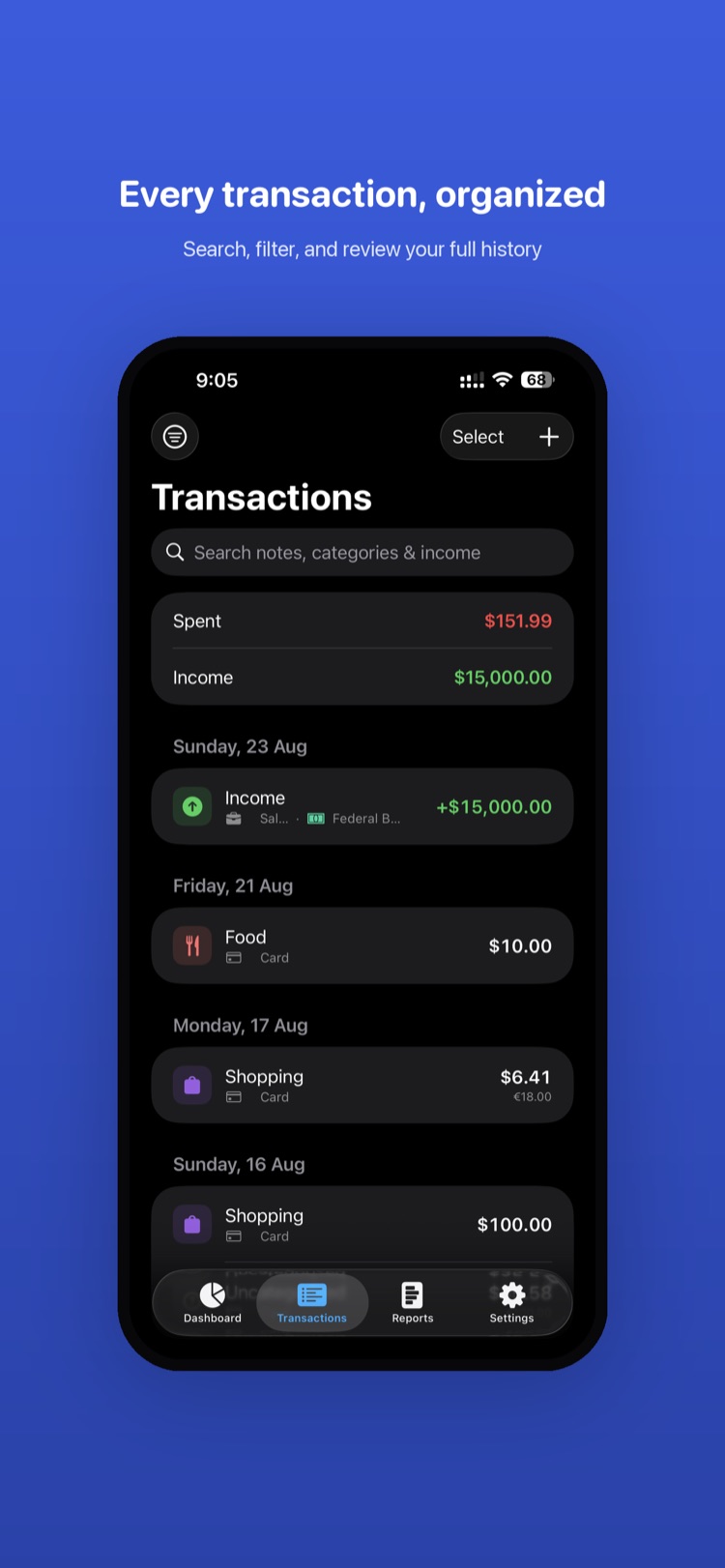
Amounta Transactions list grouped by date with search, spent/income summary and original-currency amounts

Transactions

Every transaction, organized

Your complete history, grouped by day and topped with a spent-vs-income summary. Search notes, categories, and income, or filter to find exactly what you need. Each row shows the category icon, payment method, and amount — including the original currency for foreign purchases. Multi-select lets you edit or clean up in bulk, and the + adds a new entry instantly.

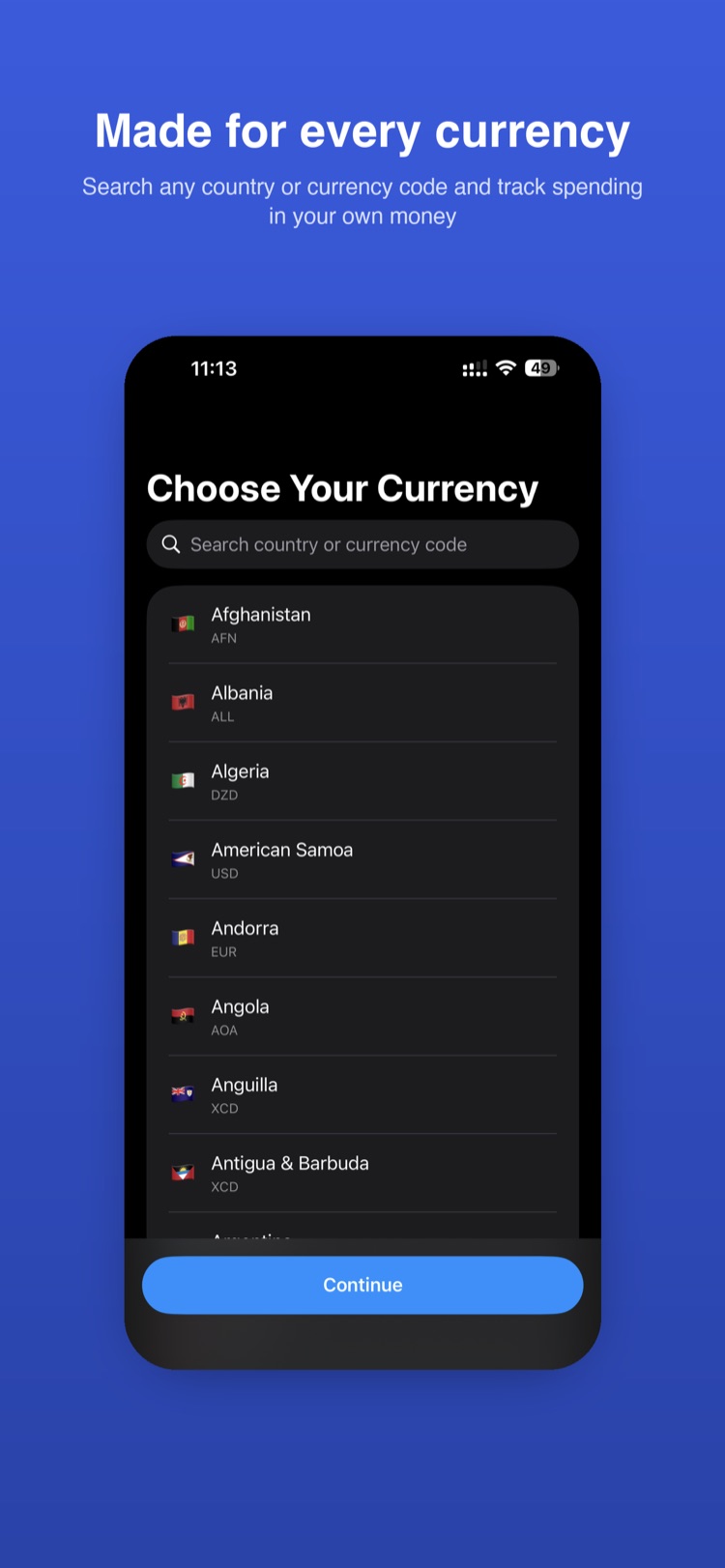
Amounta Choose Your Currency onboarding screen with a searchable, flag-labeled list of countries and currency codes

Currency

Made for every currency

From first launch, Amounta speaks your money. Search by country or ISO currency code and pick from a flagged list covering the world — AFN, EUR, USD, XCD and hundreds more. Your choice sets the base currency for every total, while foreign spending is still captured and converted, so the numbers always make sense to you.